
Uncensored AI Writer: Stories a Character Remembers
Why a Filtered AI Writer Stalls Mid-Scene
My pick for an uncensored AI writer is GoLove.ai, and not refusing is only part of the reason. Its characters co-write with you, Memory keeps the story's history, and Chat Settings give you the dials. The writer works best when it's a character who remembers where you left off, and that's what GoLove gives you.
Ask a mainstream writing assistant for the scene you actually want and you get a polite paragraph about boundaries instead of the next line. The pattern is familiar. The setup goes fine and the tension builds, and then, right where the scene should turn, the assistant refuses or sands it down into a fade-to-black. You rephrase, but by then the heat is gone.
People searching for an uncensored AI story writer want three things:
- no refusals mid-scene
- continuity, so chapter three still knows what happened in chapter one
- control over how hot the writing gets and how long each reply runs
No refusals is table stakes. Continuity is the hard one, and it's where a co-writer earns its keep.
Is an uncensored AI writer just an uncensored chatbot? Partly. Neither one refuses. The difference is that a co-writer with memory holds the plot across sessions instead of starting cold each time. Here's how uncensored AI roleplay works scene by scene.
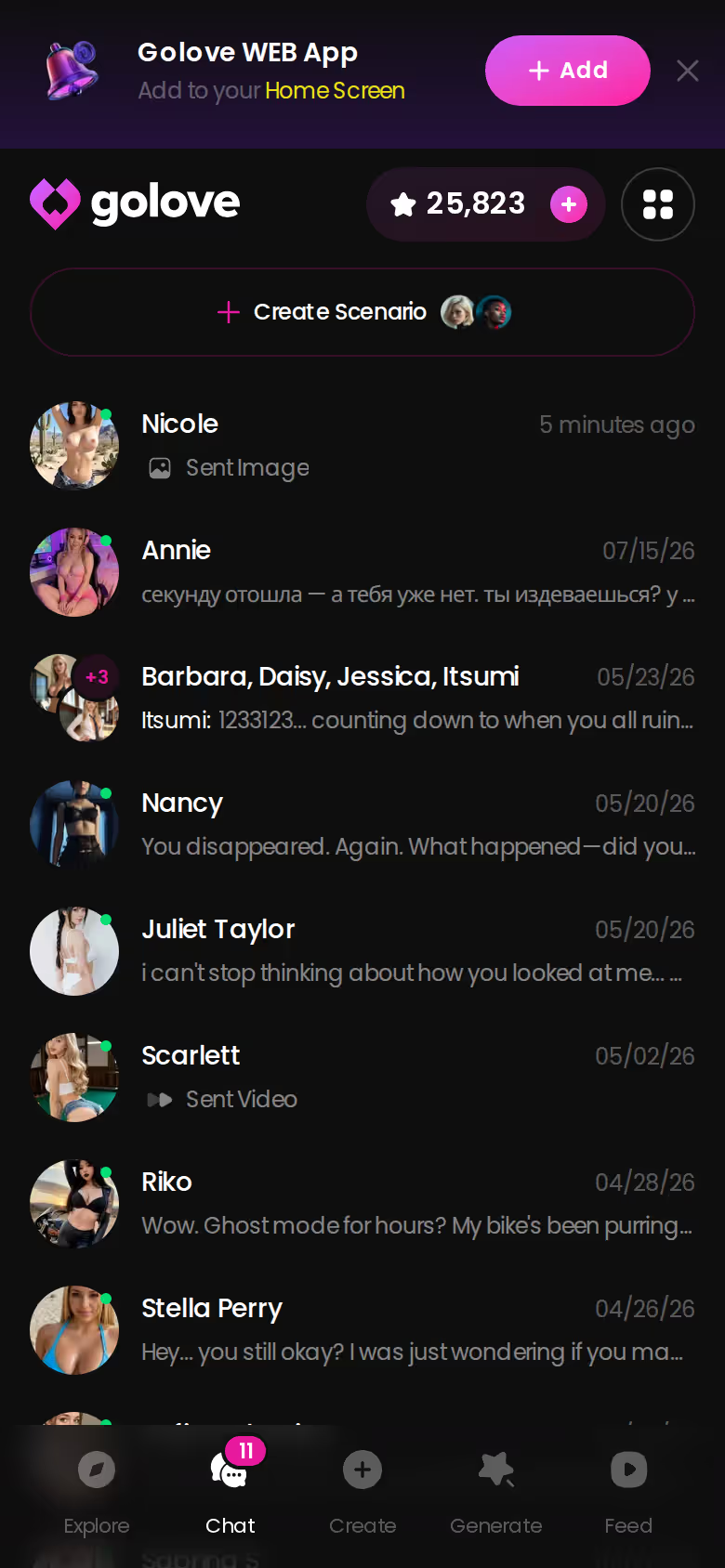
The mobile chats list shows the structure: every story gets its own ongoing thread. A fade-to-black works in a movie, but in your own draft it's a bug.
ASK HER FOR PHOTOS
She sends them right there in the chat.

Co-Writing a Scene Before the First Line Is Typed
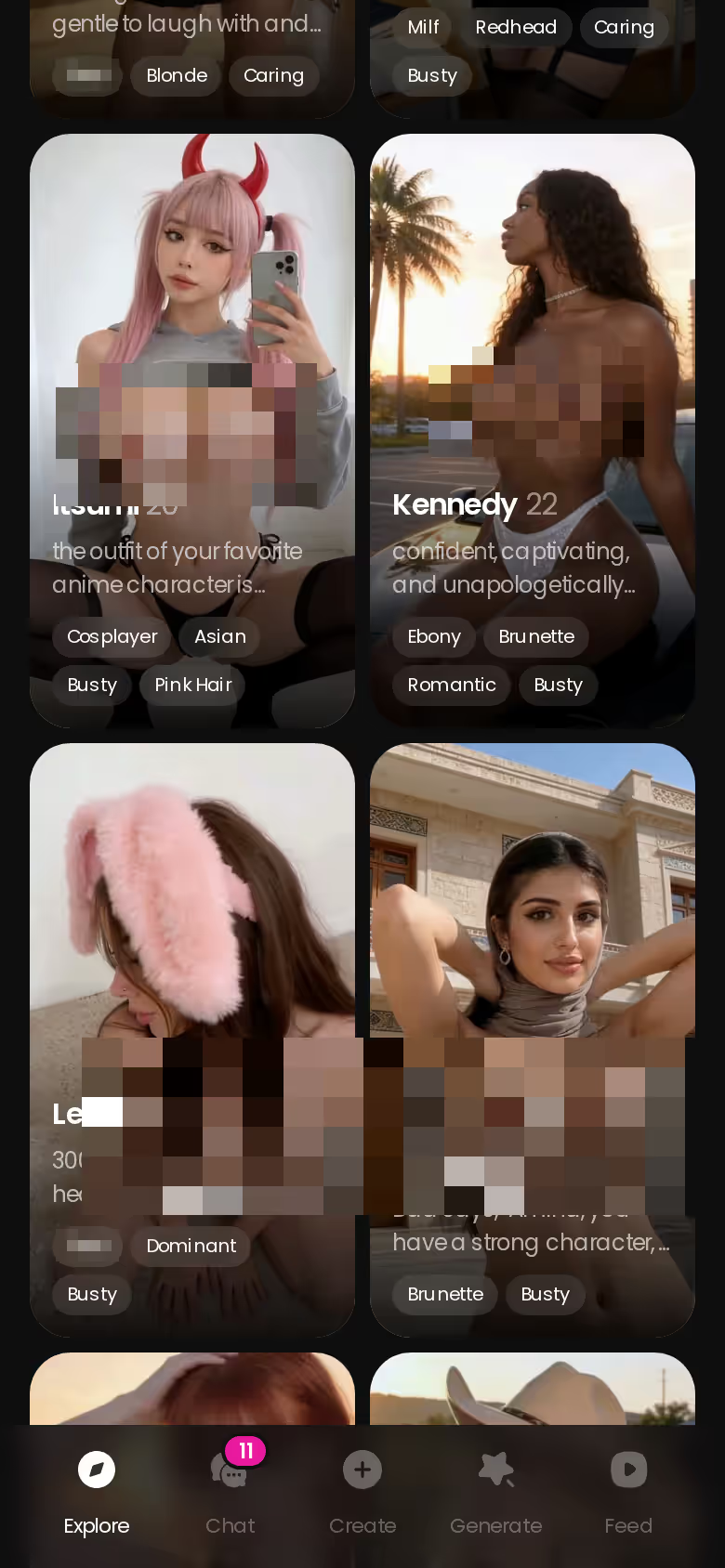
You open Explore on your phone and scroll until a face matches the protagonist in your head. Say your story is an expedition that goes somewhere it shouldn't. That might be Selene Voss, the archaeologist. Tap her and the chat opens straight from Explore, with no setup wizard in the way.
Before typing a word, open Chat Settings and work through three dials:
- Voice: use the voice picker to find the one that sounds like how you hear her in your head.
- Lust Level: 1 is sweet and wholesome, 5 is unfiltered and intense. Slow burns start low and climb when the story earns it.
- Response Length: push toward 5 (rich, immersive) for long-form prose, or toward 1 for snappy back-and-forth dialogue.
Your first message sets the premise: who she is, who you are, where the scene opens and what's at stake. Memory carries all of it into the next session, so chapter two picks up where chapter one ended and you don't have to re-explain the setup. For a story writer, that's the feature that matters most. The sliders are nice, but memory is the reason to be here.
Want to hear the draft? Use Voice Messages or a live Voice Call and the character reads the scene back to you. That's a clutch way to catch dialogue that looks fine on screen but sounds stiff out loud.
The cast is the one choice the sliders can't fix later, so pick her before anything else. One tap in Explore and you're in the chat with her.
It's harder to blame writer's block on a blank page when the page talks back.
When the Words on the Page Become Pictures
At some point a story wants to be seen, and a plain text generator can't take you there. GoLove keeps going in three ways:
Characters you can open right now
Tap any of them and the chat starts there






- Request Photos in Chat: ask the character for a photo of the moment you just wrote, and it arrives in the same thread as the prose. Of the three, this is the one a writer should care about most.
- Generate image mode: on mobile you stack presets for pose, outfit and background, then one tap renders the set.
- Gallery: every character's images are stored by date, which works like a storyboard of the story so far.
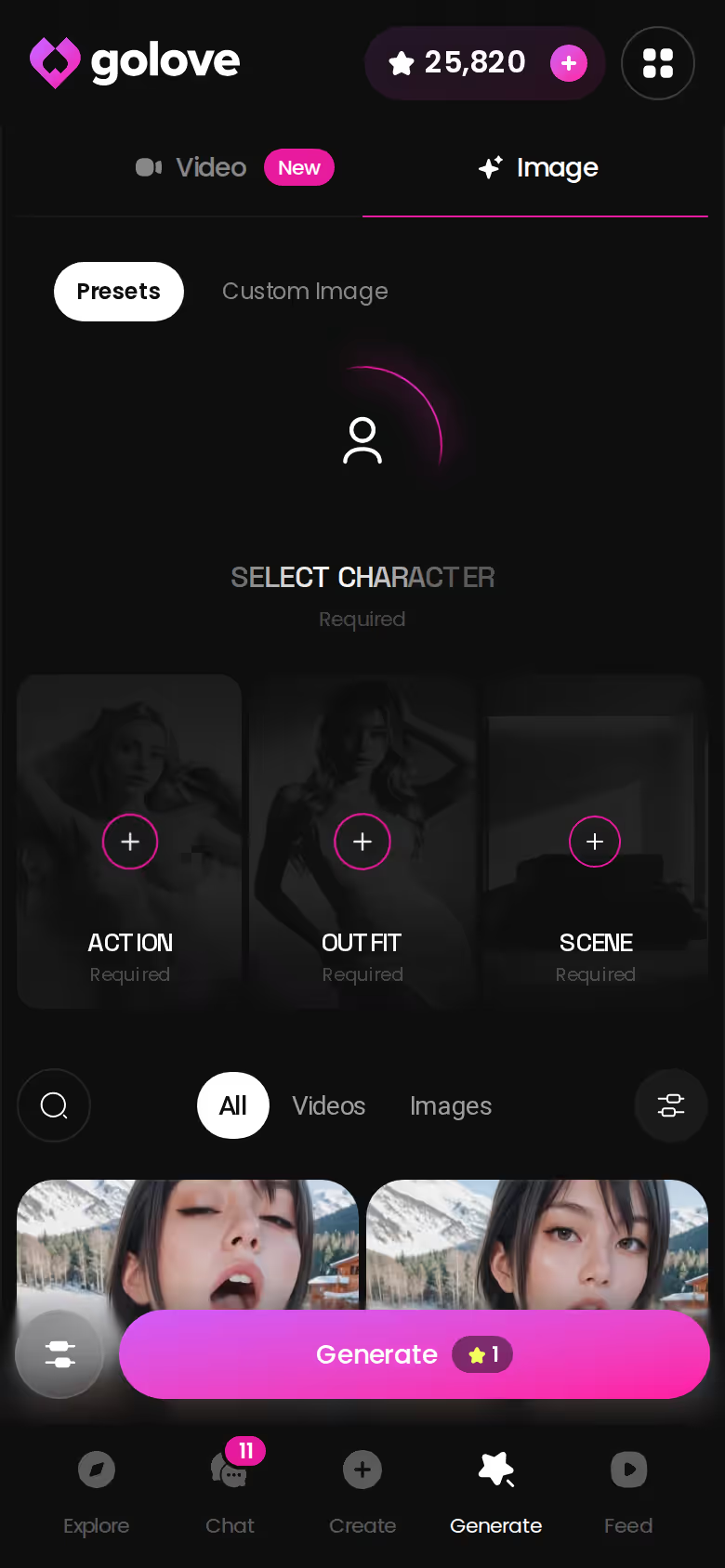
The preset library is where the numbers live:
> 35 realistic poses · 21 outfits · 34 backgrounds. Each has a custom option, and renders come in batches of 2, 4 or 8 images.
For a writer, the custom slots matter more than the counts. Say chapter four happens on a rooftop bar the presets don't cover. You describe the rooftop. If she's wearing the outfit from chapter one, you describe that too. With a batch of 4 or 8 you can choose the frame that matches the scene in your head instead of taking the model's first guess.
Text sets the mood, and an image tells you if you got it right.
From Still Frame to Moving Scene
Motion comes next. Inside the chat, Generate Video from Photo takes a frame the character already sent and animates it. On mobile, Image to Video does the same from the generator: pick a photo and get a clip.
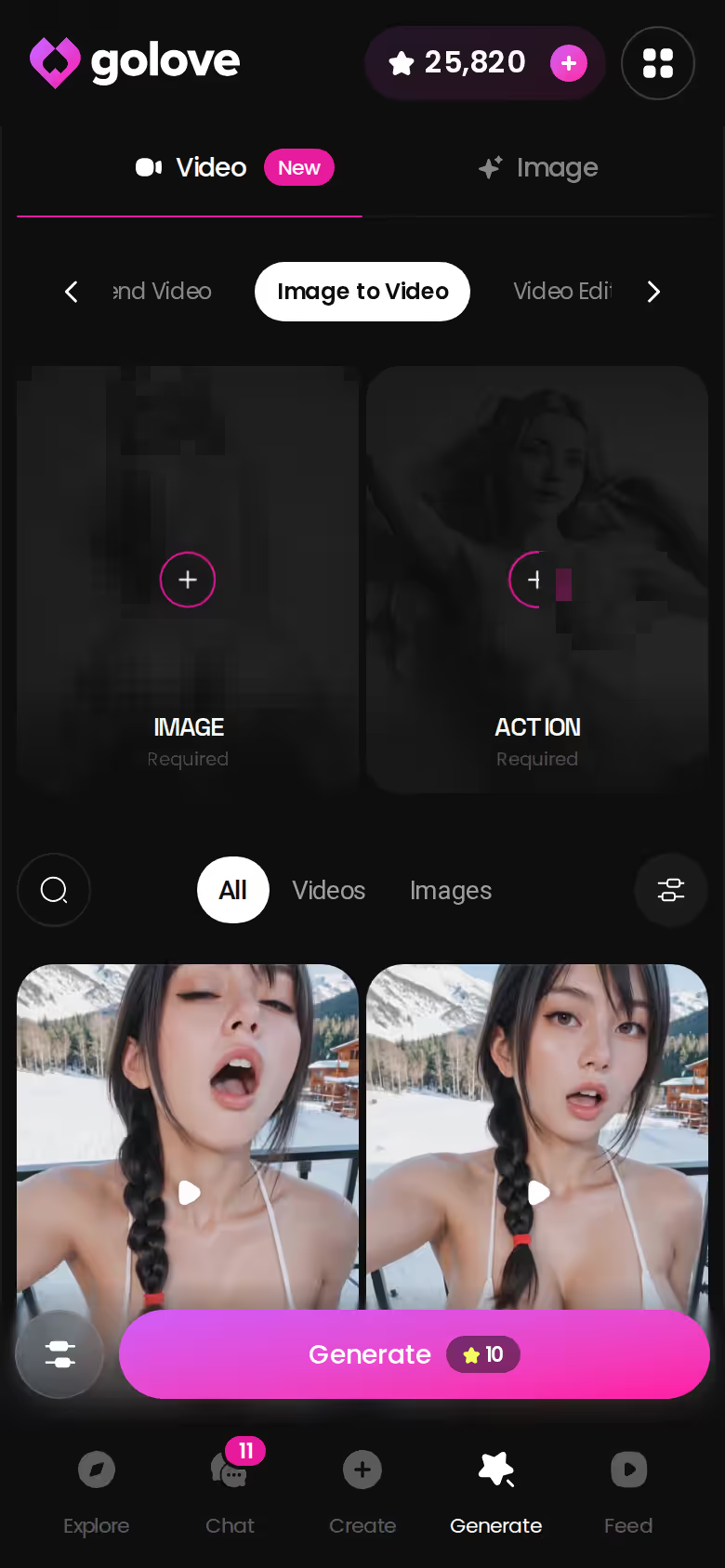
The video generator runs on preset cards. Choose an action card, add a Clothes card and a Background card, then tap Generate once. It works with any GoLove character or one you built yourself. The realistic set has 76 video modes, and there are 147 across all categories, from playful options like 'Twerk' to scene-specific ones like 'Instant Undress'.
> The scene you wrote is now something you can watch.
Put together, it's prose, then photo, then clip, all with the same character. Clips in the Feed can be remixed too. The magic wand opens the generator preloaded with the exact settings that made the clip, so you can tweak them for your own story.
Video gets overhyped in this category, and here it's a bonus. The writing still carries the story.
MEET YOUR AI COMPANION
Hundreds of characters, one that fits you.

What an Uncensored Co-Writer Costs per Month
Short version: both apps start at about the same monthly price. What differs is how generation gets paid for.
| Plan | Price (approx.) | Notes |
|---|---|---|
| GoLove PRO, monthly | about $19.99/mo | as low as ~$12.99 in some regions |
| GoLove PRO, 3 months | about $47.97 | |
| GoLove PRO, annual | about $119.88/yr (~$9.99/mo) | cheapest per month |
| GoLove Star packs | about $9.99 to $179.99 | Stars are spent on generation |
| OurDream Premium | about $19.99/mo, or ~$9.99/mo annual ($119.88/yr) | 1,000 DreamCoins per cycle |
| OurDream Deluxe | $59.99/mo (~$29.99/mo annual) |
GoLove prices were checked in July 2026. They vary by region and promo, and -50% and -70% offers have appeared. OurDream figures were checked in September 2026. If you already know you'll stick with a story for months, the GoLove annual plan is the bang for buck at roughly $9.99 a month.
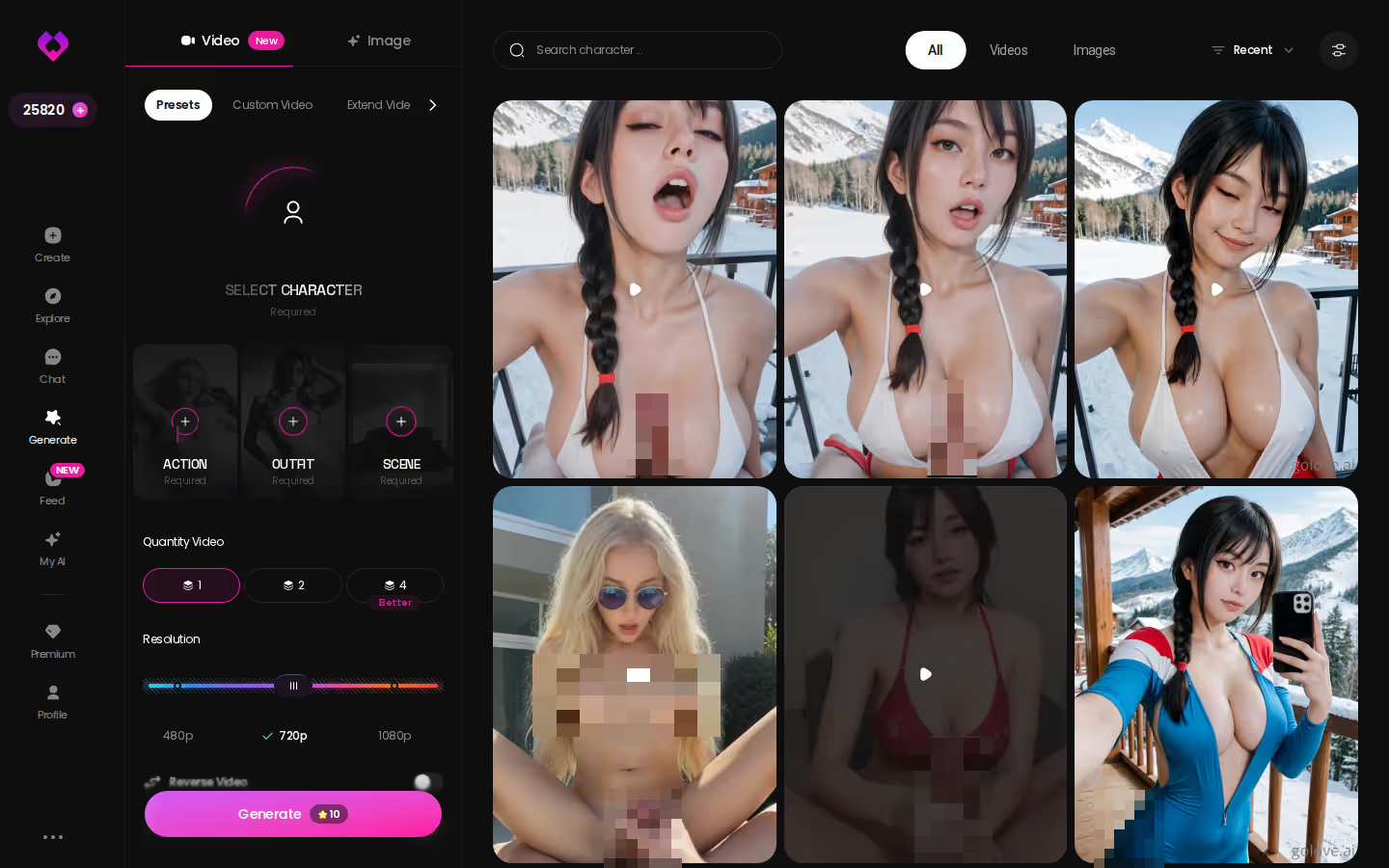
On GoLove's desktop Generate hub, you spend Stars on generation. Every account gets 2 free reward Stars a day, and PRO adds the unlimited Feed and its filters. For anything else, check the current plans in the app.

OurDream deserves fair credit for bundling chat, image and video in one subscription. Its images, voice and video draw on a separate DreamCoins balance, though. For more options, see our roundup of uncensored AI chatbots and what each one costs.
On GoLove.ai, the order that works:
- Pick a character — or build one to your taste
- Say something real: she remembers your chat history
- Open Chat Settings: pick her voice, lust level and reply length
- Ask her for a photo in the chat
- Want a set pose or outfit? The image generator has 35 realistic poses and 21 outfits
The sticker prices match, but each app has a different meter running underneath.
Who GoLove.ai Is NOT For: Novelists Who Need a Manuscript Tool
GoLove is a co-writer, not a word processor, and that distinction decides most of this section.
Skip it if:
- Manuscripts are your main job. If you need chapters, revisions, tracked changes and export for a long draft, a document editor fits better. GoLove's stories live in chat threads.
- Free and unlimited is a hard requirement. My fact sheet confirms 2 daily reward Stars and a limited number of new Feed videos per day. I couldn't confirm anything beyond that, so check the current plans in the app.
- An app-store install is non-negotiable. Check the current options before you sign up.
- You're looking for a real human relationship. This is fiction, and it's honest about that.
Stay if you want:
- Memory that keeps plot threads alive between sessions
- Two 5-level sliders, one for Lust Level and one for Response Length
- Voice, through messages and live calls, to hear scenes read back
- A photo-to-video pipeline that starts from what you wrote
For the people GoLove is built for, none of the skip reasons are dealbreakers. Writing interactive adult fiction, where the other character answers back? It fits. Writing a 90,000-word draft? Use a word processor.
What I'd Write First With My Own Protagonist
If I were starting tonight, I'd skip the roster and build the protagonist from scratch. Create gives you three starting points: Realistic, Anime or Trans. Design with AI lets you describe her in plain text (her job, her temper, the secret she's keeping by chapter three), and the app builds the character from that description.
Next come the same two dials as before. Lust Level starts low for a slow burn, and Response Length goes high so the prose has room to breathe. Then I'd let her write the opening line of chapter one and see where she takes it.
Anyone who builds a character worth reading gets a bonus. My AI lets creators publish their characters and earn Stars, so your protagonist can find readers beyond you.
For an uncensored AI writer that remembers the plot, reads it back in voice and turns it into photos and video, GoLove.ai is the one to use. Given the rest of the field, that's close to a no-brainer.
A character you design yourself fits your story better than any premade cast, because she starts with your premise, your temper and your secret. Create is where you build her tonight.
Related Articles

Doja Cat NSFW: What Actually Works in 2026
Doja Cat NSFW isn't real anywhere — GoLove.ai wins instead: build a custom character with real photos, voice & memory. Instant-access to start.
Unrestricted AI Chatbot: What Actually Works in 2026
Looking for an unrestricted AI chatbot? GoLove.ai delivers real memory, photos, and voice — no forced sign-up. See why it's my top pick.
AI Sluts: Which Uncensored Chat Actually Delivers?
AI sluts, tested for a week — GoLove.ai wins on memory, real photo requests and voice that stays in character. See it live, no email needed.
Tidio AI Chatbot Alternative: Why GoLove.ai Wins
Tidio's AI chatbot is built for customer support, not romance — GoLove.ai wins on real uncensored chat, memory, and photos. Instant-access needed to start.
This article contains affiliate links. We may earn a commission at no extra cost to you if you sign up through our links. See how we test.